PPlaylee support
Help centre
Straightforward help for setting up tournaments, adding teams, building fixtures, entering scores, and running the day with less stress.
Walkthrough
Estimated read: 9 min
Fix a schedule before matchday
Check the schedule the night before or early on event day and fix the biggest problems first.
Quick answer
Open Scheduling, fix the big clashes first, save, and then check the public fixtures page again.
Before you start
A generated schedule
Fix the biggest clashes first
- Open Scheduling and scan each pitch column from top to bottom.
- Fix any double-booked pitch first, because that affects the whole day.
- Then fix teams that have no break between matches or a very long wait for their next game.
- After each batch of changes, save and open the public fixtures page again.
- If referees are already assigned, check that the changed matches still have the right officials attached.
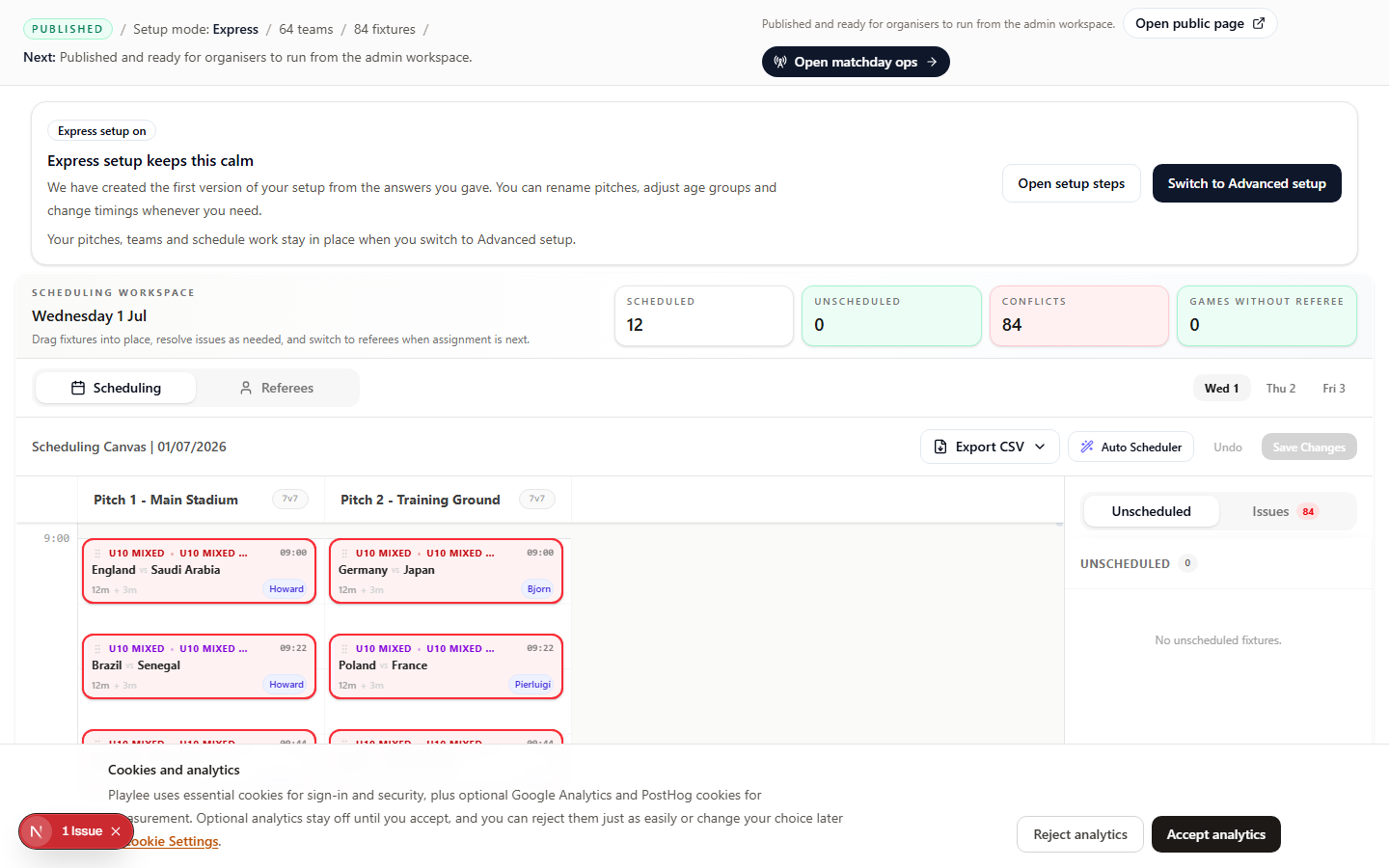
Check this page for overlaps, long gaps, and teams with matches too close together before matchday.
Need more help?
Related articles
Build a publishable schedule
Build fixtures in Scheduling, then check the public page before you share the event.
What should I do about pitch conflicts or event-day delays?
Fix the first blocked pitch or delayed match before you change anything else.
Referee invites and portal access
Invite referees from the Referees page and make sure they can open their portal before the event.