PPlaylee support
Help centre
Straightforward help for setting up tournaments, adding teams, building fixtures, entering scores, and running the day with less stress.
Walkthrough
Estimated read: 6 min
Get results live quickly
Enter scores quickly and make sure the public results and standings pages update properly.
Quick answer
Open the correct match, enter the score, save it, and then check the public results and standings pages.
Before you start
Published fixturesA workable referee or score-entry plan
Enter the first score
- Open the fixture list and make sure the match is on the right pitch and time.
- Make sure the referee or organiser entering scores can open the correct match.
- Enter the first finished score and save it.
- Open the public results page and check that the score appears there.
Check the public pages
- Open the standings page after a few games so you know the table is moving properly.
- Refresh both pages once before entering the next score if something looks slow.
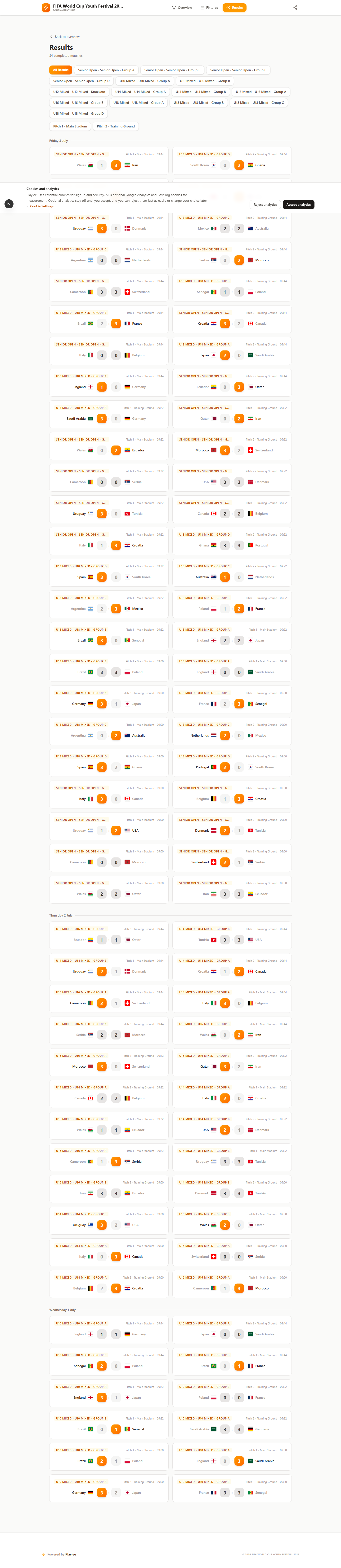
The public results page is often the fastest way to confirm scores are flowing correctly.
Need more help?
Related articles
How do I correct a score or standings issue?
Check the match result first if the table or standings look wrong.
Referee invites and portal access
Invite referees from the Referees page and make sure they can open their portal before the event.
Run public pages and presentation mode
Check the public pages before you share them. That is where coaches, parents, and spectators will look first.