PPlaylee support
Help centre
Straightforward help for setting up tournaments, adding teams, building fixtures, entering scores, and running the day with less stress.
Walkthrough
Estimated read: 6 min
Prepare presentation mode for event day
Use presentation mode or public screens to show fixtures, results, or standings clearly at the venue.
Quick answer
Open the presentation or public page you want to show, test it on the screen you will use, and check that the text can be read from a distance.
Set up the screen
- Open the presentation page or the public page you want to display.
- Choose fixtures, results, or standings depending on what people need to see most.
- Put the page on the screen you will use at the venue.
- Stand back and check that the text is readable from a distance.
- Leave the page on the correct view before teams and parents arrive.
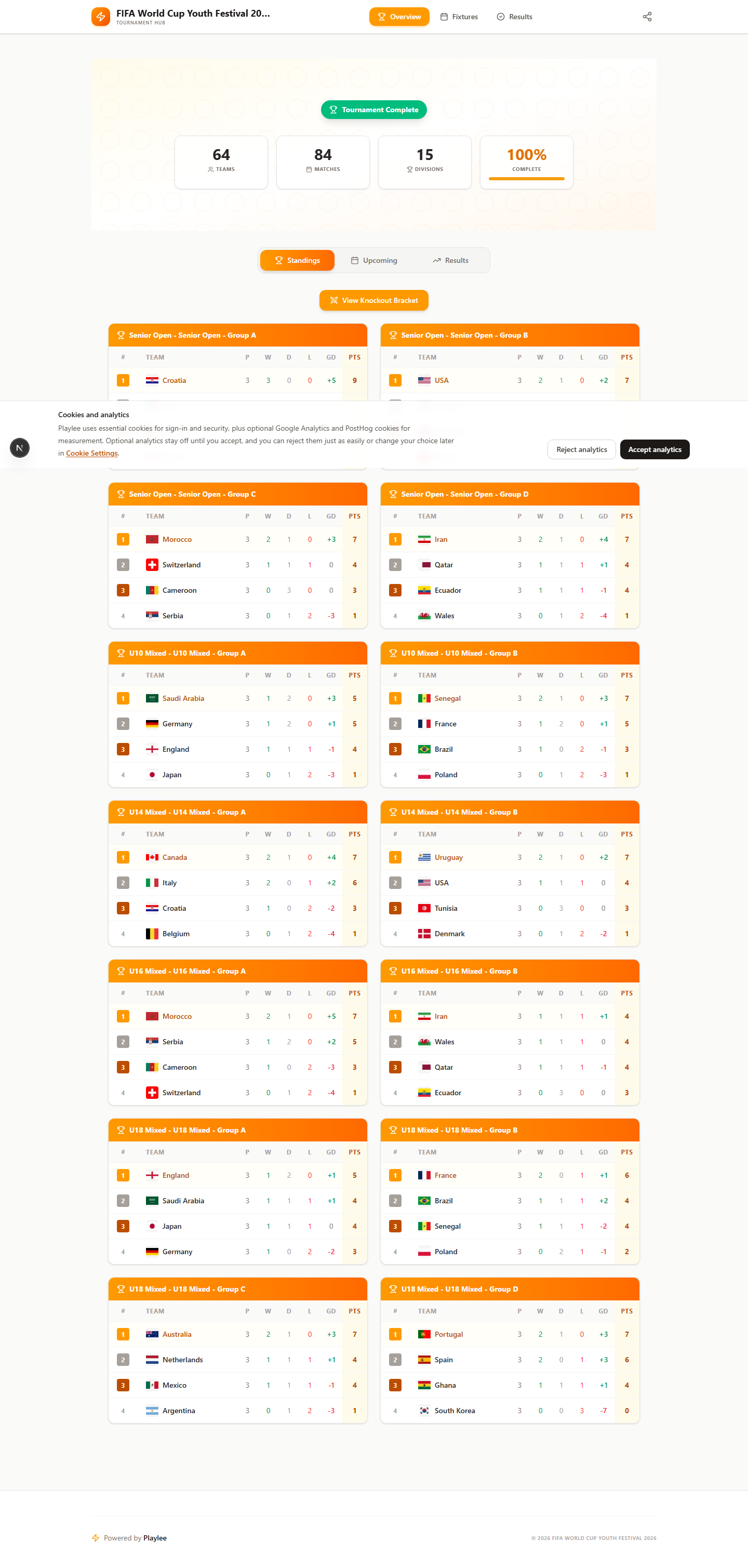
Check standings early on event day so ranking issues do not go unnoticed.